Im Video verwendete Prompts
Bild restaurieren: „Bitte restauriere das Bild so, dass es aussieht wie eine moderne hochauflösende Fotografie.“
Bild schärfen: „Generiere das Bild erneut und mache es scharf. Es soll aussehen wie 4K.“
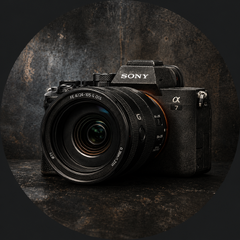
Produktfoto erstellen: „Erstelle ein hochwertiges, ansprechendes Produktfoto in einer modernen, sauberen Umgebung.“
Person freistellen: „Stelle die Person mit dem orangenen T-Shirt frei. Es sollen ansonsten keine anderen Menschen zu sehen sein.“
Magazincover Stil: „Ändere die Perspektive so, dass die Frau sehr nah und in Froschperspektive gezeigt wird, wie für ein Magazincover.“
Raumgestaltung: „Generiere mir einen Design-Vorschlag, wie ich diese Zimmerecke für mein YouTube-Studio verbessern könnte.“
Infografik erstellen: „Mache aus diesem Rezept eine hübsch gestaltete, visuell ansprechende Infografik.“
Text übersetzen: „Übersetze den gesamten Text ins Englische.“
Format 4:1: „Generiere das Bild erneut im 4:1 Format.“





Empfohlene Kommentare
Beteiligen Sie sich an der Unterhaltung
Sie können jetzt posten und sich später registrieren. Wenn Sie ein Konto haben, melden Sie sich jetzt an, um mit Ihrem Konto zu posten.