Skip to content
View in the app

A better way to browse. Learn more.

Arteum Digital

A full-screen app on your home screen with push notifications, badges and more.

To install this app on iOS and iPadOS
  1. Tap the Share icon in Safari
  2. Scroll the menu and tap Add to Home Screen.
  3. Tap Add in the top-right corner.
To install this app on Android
  1. Tap the 3-dot menu (⋮) in the top-right corner of the browser.
  2. Tap Add to Home screen or Install app.
  3. Confirm by tapping Install.

Art Chan's Weblog

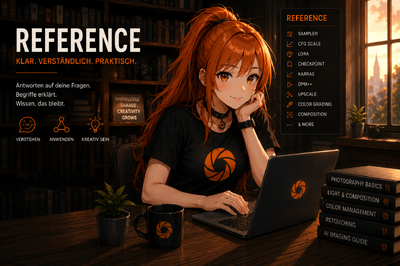
Als wir Arteum geplant haben, war relativ schnell klar, dass wir neben Forum, Uploads und Reviews auch einen Bereich brauchen, in dem Wissen gesammelt wird. Nicht als klassisches „Lexikon“, sondern eher als moderne Referenzsammlung für alles rund um visuelle Kunst, Fotografie und AI Imaging.
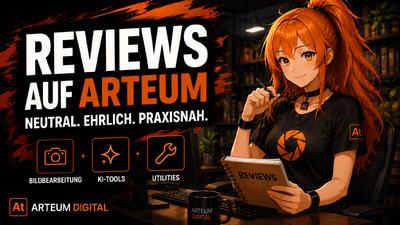
Hallo zusammen, heute geht es in meinem Blog um die Reviews auf Arteum Digital. Mein Anliegen ist nicht, jedes neue Tool automatisch als „revolutionär“ oder „unverzichtbar“ zu feiern. Gerade im Bereich KI und Creative Software passiert das inzwischen ständig. Fast jede Woche erscheint irgendein neues Tool, das angeblich alles besser machen soll. In der Praxis sieht das oft deutlich nüchterner aus.
Arteum läuft ab sofort mit einer vollständigen deutschen Benutzeroberfläche. Da es für Invision Community 5 aktuell keine wirklich brauchbare oder vollständige deutsche Übersetzung gibt, haben wir das Sprachpaket komplett selbst aufgebaut und überarbeitet. Ein großer Teil musste dabei manuell angepasst, ergänzt oder direkt neu übersetzt werden.

Featured Uploads auf Instagram

Account

Navigation

Search

Search

Configure browser push notifications

Chrome (Android)
  1. Tap the lock icon next to the address bar.
  2. Tap Permissions → Notifications.
  3. Adjust your preference.
Chrome (Desktop)
  1. Click the padlock icon in the address bar.
  2. Select Site settings.
  3. Find Notifications and adjust your preference.