





Back 2 Top is back! This is the new version of my old IC4 plugin from 2021, now for Invision Community 5.
Completely recoded as it is now an application, but with all the old features, such as...
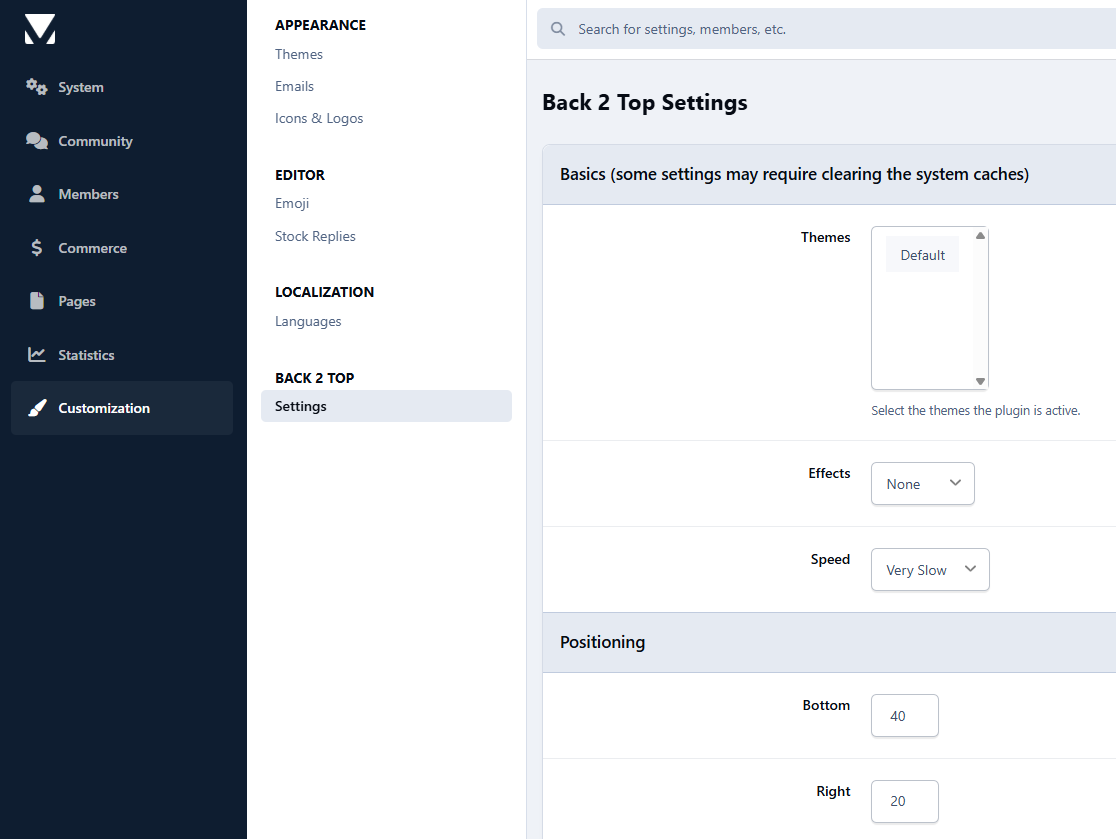
Themechooser - You can now choose where the plugin is active, if themes already bring a similar feature.
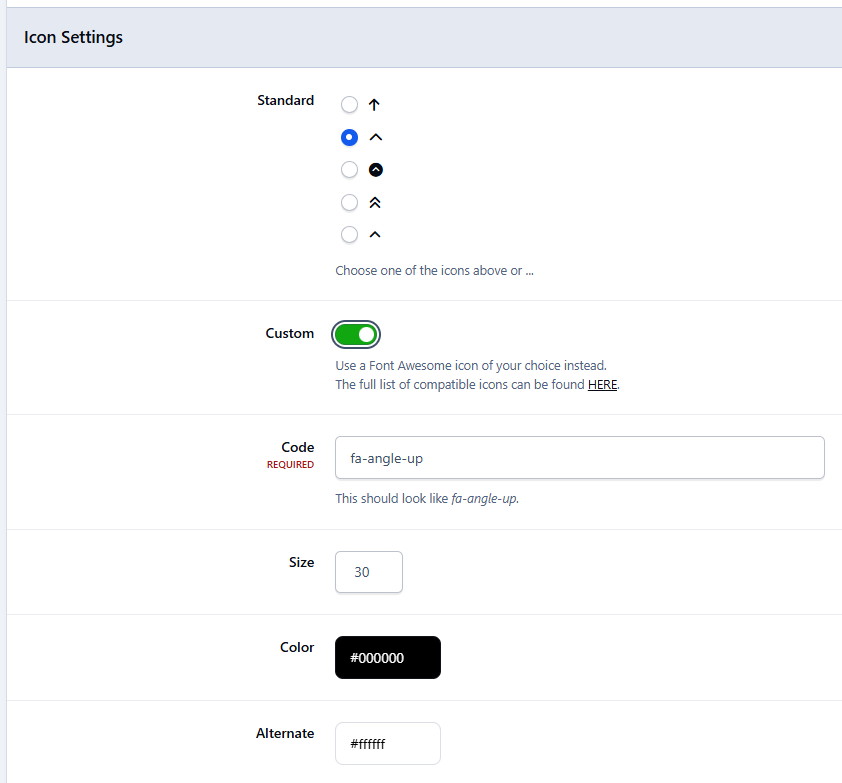
Icon selection - Choose from 5 "standard icons", or use a Font Awesome icon of your choice.
Color, size, transparency and positioning are also freely selectable.
NEW FEATURE: You can now choose an alternative color for the Dark Mode yourself.
As always, 100% free and, of course, without visible brandings.
Back 2 Top is back! Dies ist die neue Version meines alten IC4 Plugins von 2021, jetzt für Invision Community 5.
Komplett neu gecoded da jetzt eine Application, aber mit allen alten Features, als da wären …
Themechooser - Ihr könnt nun auswählen wo das Plugin aktiv ist, falls Themes bereits ein ähnliches Feature mitbringen.
Iconauswahl - Wählt aus 5 "Standardicons", oder benutzt ein Font Awesome Icon eurer Wahl.
Farbe, Grösse, Transparenz und Positionierung ebenfalls frei auswählbar.
NEUE FUNKTION: Ihr könnt jetzt eine alternative Farbe für den Dark Mode selbst auswählen.
Wie immer 100% gratis und selbstverständlich ohne sichtbare Brandings.
Sie können erst eine Rezension abgeben, nachdem Sie die Datei heruntergeladen haben.
Es sind keine Bewertungen zum Anzeigen vorhanden.